
- Windows
- Mac
- Library column width (Mac and Windows)
The computer version is divided into three areas.
Sidebar (left): Song library or Playlists and its song list (Song title, Composer, Style)
Song view: (middle area) the current song
Player controls: (right) Player controls (change key, tempo etc.) If minimized they appear on the bottom.
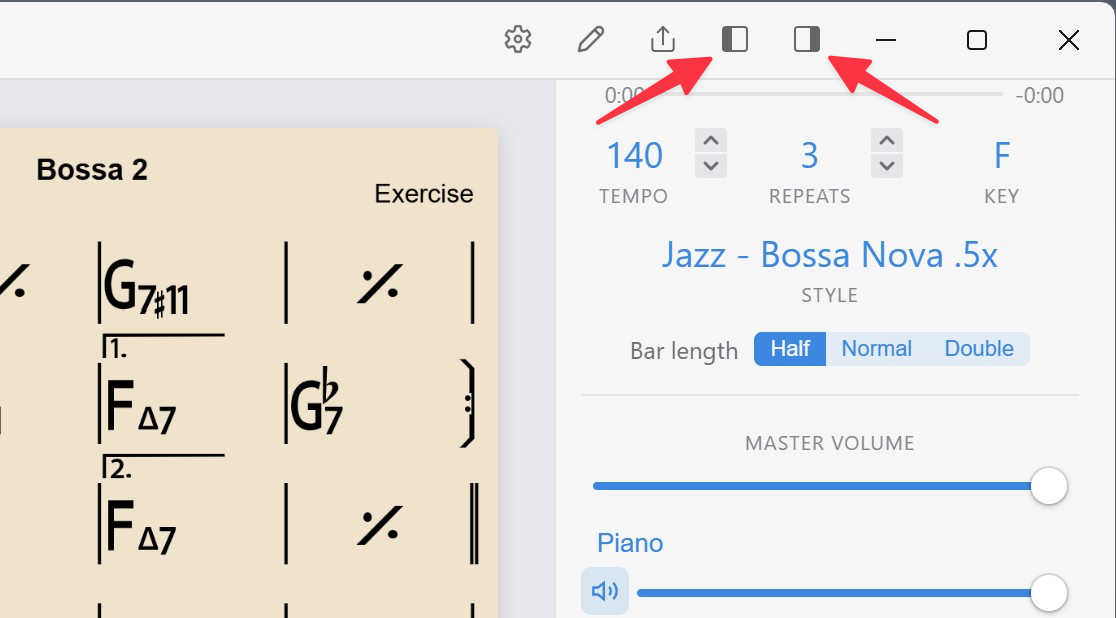
Hide the left and right sides independently by clicking on its icon, use the View menu, or use its key command. You cannot hide them when editing a song.
The Editor panel will appear on the right when editing a song, chord entry, changing song title, composer or key, time signature, and buttons for entering symbols
Windows
Sidebar icons are top right
All Player controls show on the right, minimal at the bottom.
Mac
Player Controls (right)
After minimizing the Player controls, they appear at the bottom of the screen. Screenshot above shows the Sidebar hidden and minimized Player controls

Sidebar (left)
Click Sidebar icon to toggle Library.

Library column width
Hover your mouse between either the Library and Song list, or Song list and the middle Chart area and drag sideways to adjust widths.
Mac version shown
