
v2026.6 and higher
- Mac, Windows
Android
iOS
Mac, Windows
Select All songs of one playlist and drag on to another Playlist title.
Sort Windows, Mac songs in a playlist
Sort Windows, Mac songs in a playlist
Android
- touch the playlist into which you want to add all songs from another playlist;
- touch the overflow menu (dots) (on the right of the Search bar at the top);
- touch Add from another playlist;
- touch the playlist you want to add the songs from.
Sort alphabetically and shuffle options are in the overflow menu (3 dots) top right.
Sort Android
iOS
- tap the playlist into which you want to add all songs from another playlist;
- bottom left, tap the + button;
- choose Add from another playlist;
- tap the playlist you want to add the songs from.
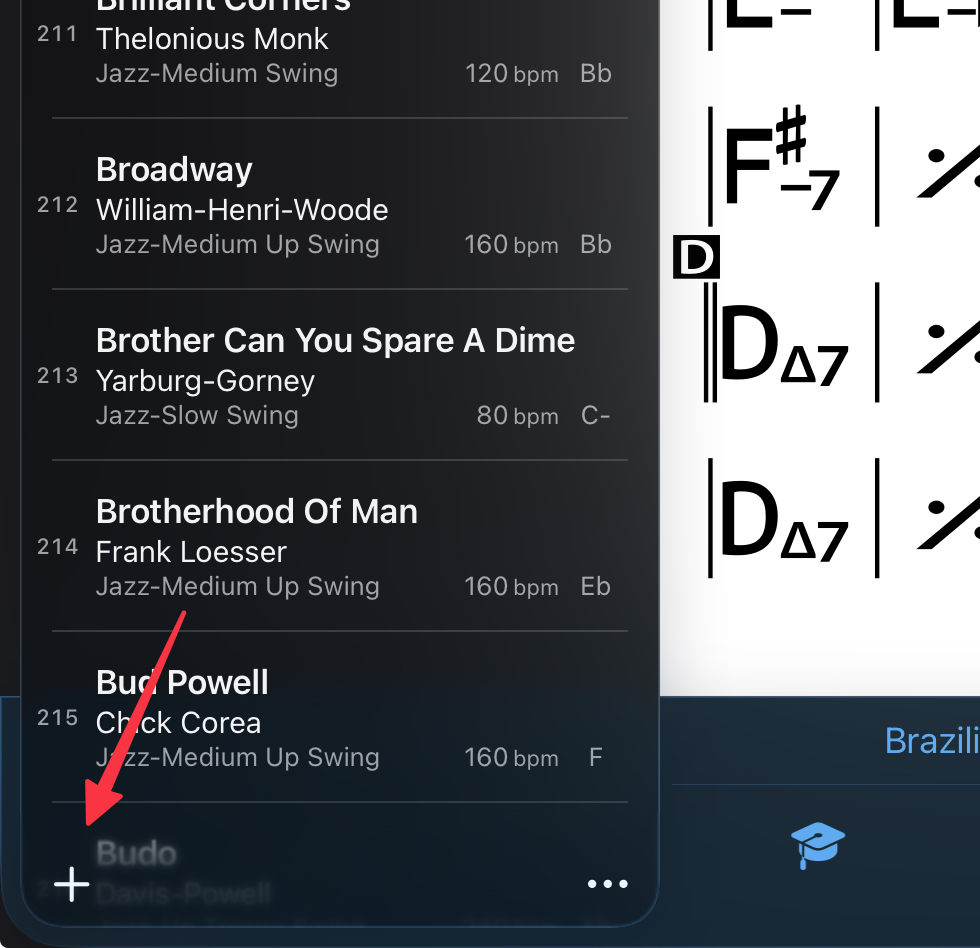
Sort alphabetically and shuffle options are in the overflow menu (3 dots to the right of the +)
Sort iOS