
Use the setting to show either a hyphen - or m for minor chords.
- iOS, Android
- Windows
- Mac
iOS, Android
Tap the Chord Chart Settings button iOS - Aa, Android - A
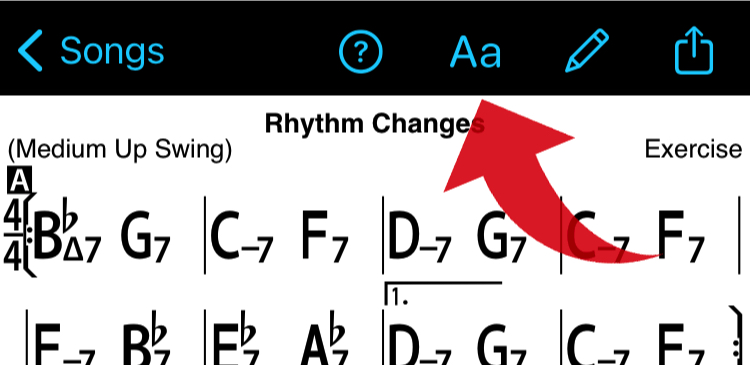
Then tap the Minor Symbol button to change.

Windows
File > Settings (or click Settings cog icon top right), Turn on or off "Use "m" for minor"
Mac
v2023.11 or higher: Click Aa top right, check or uncheck "Use m for minor"
v2023.7 or below: iReal Pro >Settings (Preferences) > General - click Symbol for minor chords for 'm' or '–'.