
Mac, Windows
Open the Editor (cmd-E, ctrl-E);
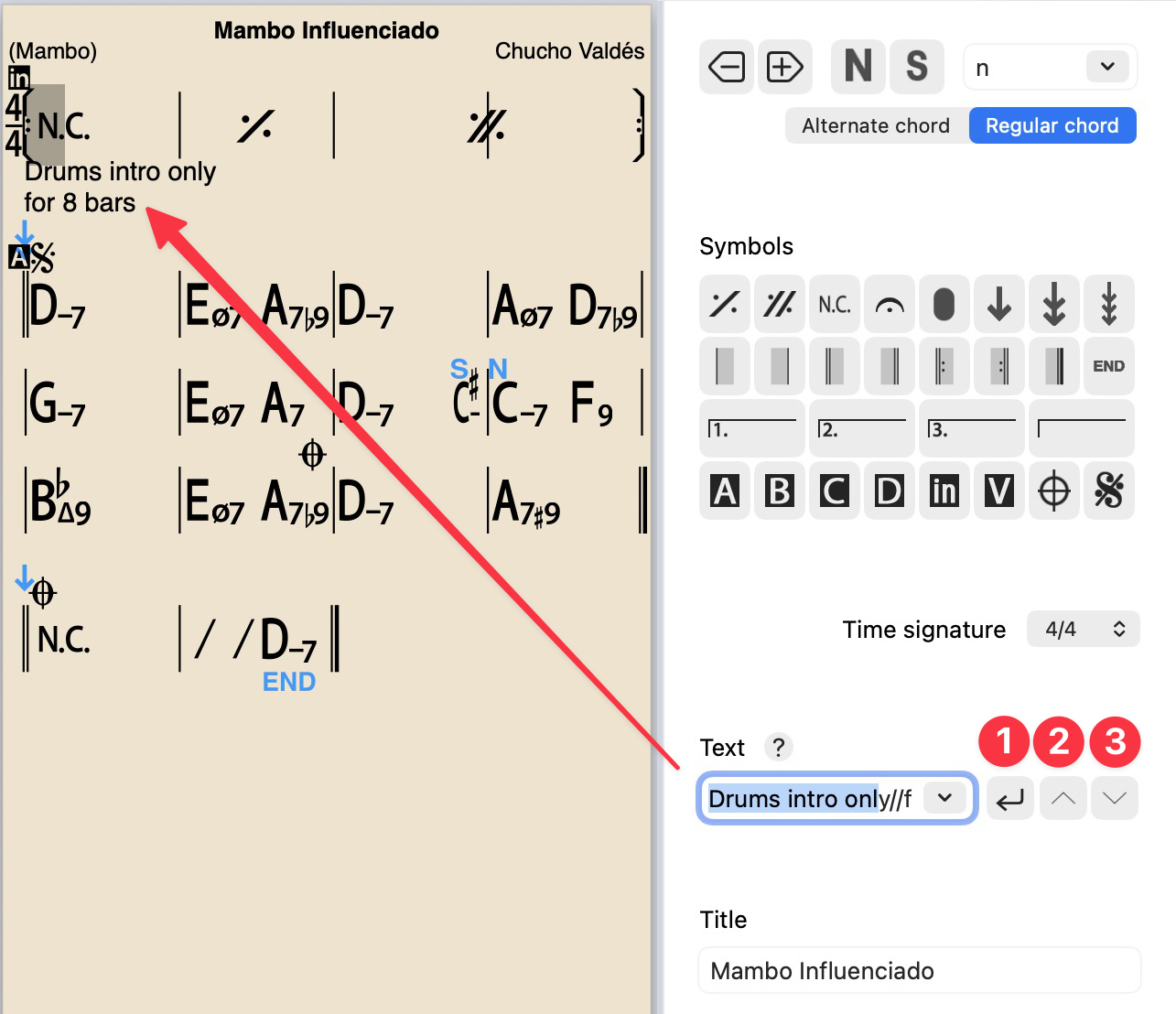
Click where you want to add your text;
Click in the Text field and type text (or click the down arrow for specific text entry, see below);
To add second line of text click [1] or type // followed by the rest of the text (see example below)
Move text up or down [2] [3]
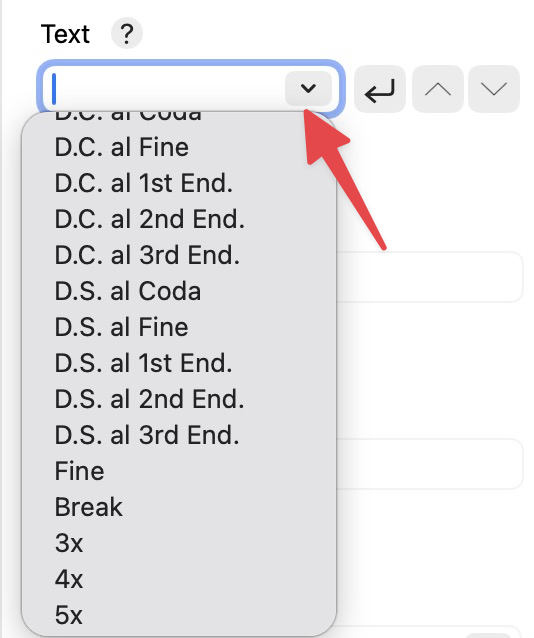
Click the down arrow at the end of the text field, for the dropdown menu of commonly used text (e.g. D.C. al Coda, D.S. al Coda, repeat times, rhythm options.) These are understood and interpreted by the Player (unless there is a problem with the song form or layout.)
Cmd-S or Ctrl-S to Save
Cmd-E or Ctrl-E to exit (older Mac versions, Cmd-W)
Some users have found ways to add lyrics using the text in the editor. See their solution here.