
Airturn bluetooth pedals and devices can send key commands and if set up correctly can trigger page turns, play etc.
Other pedals might work also.
Please test any pedal before purchase
Apple alternative Apple watch
- Android
- Windows
- iOS
- Mac
Android
Sorry no Airturn support built-in. Airturn Manager might work with some devices.
Windows
Choose the mode to trigger up and down arrows which should work for Previous/Next song. If you can send Spacebar, it should start Play.
iOS
Pair to your Airturn device, iOS Settings -> Bluetooth
iReal Pro Settings -> AirTurn and enable it.
For the iOS version of iReal Pro, Airturn provide their software which is embedded.

Tap your Airturn device in iReal Pro Settings, select the function (from iReal Pro's options shown below) for each pedal (or buttons for Digit).

Mac
The more recent Airturn models work with their Airturn Manager app (download from the Mac App Store, look for their list of models which it supports) where you choose a mode and set key commands for iReal Pro.
[requirements: OSX10.14 or later, Universal]
[requirements: OSX10.14 or later, Universal]
Assign an iReal Pro key command (find these on the right of each command in the various menus) to each Airturn pedal/button.
e.g. choose Spacebar for a pedal/button to Play/Pause; choose down arrow for another pedal/button to go to the next song (click the first song inside your playlist so focus is in the playlist's songs column so the down arrow will work)
e.g. choose Spacebar for a pedal/button to Play/Pause; choose down arrow for another pedal/button to go to the next song (click the first song inside your playlist so focus is in the playlist's songs column so the down arrow will work)
(See mode 2)
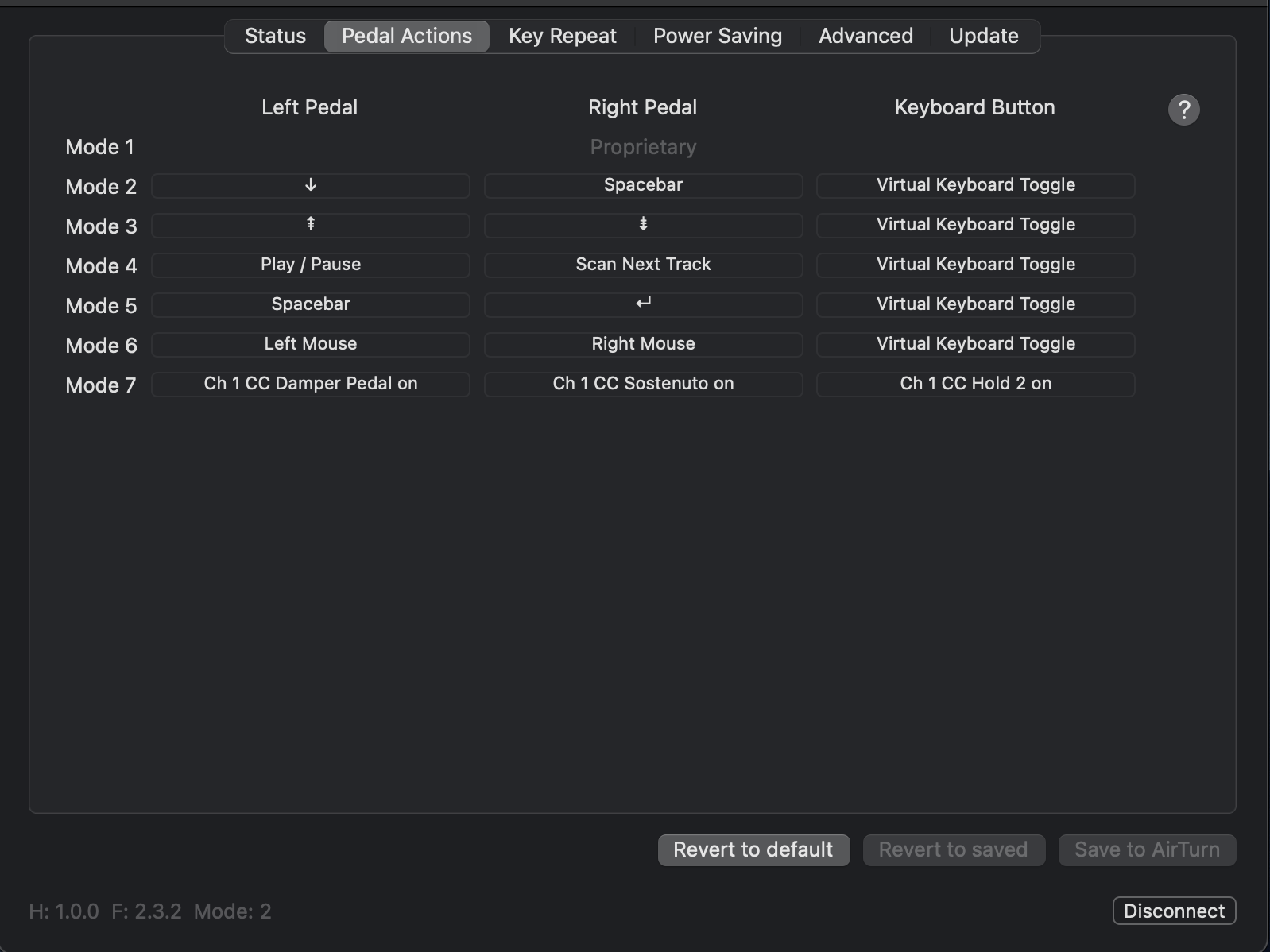
Tip: Set up a different mode for each app you use Airturn with, so you do not need to program (set key commands for each pedal/button) each time you use Airturn with each app.
Mac Airturn support: please contact Airturn support