
Windows, Mac
Windows
Click on a song title
- File > Duplicate
- or alt + D
- or click Pencil icon (top right) and choose Duplicate
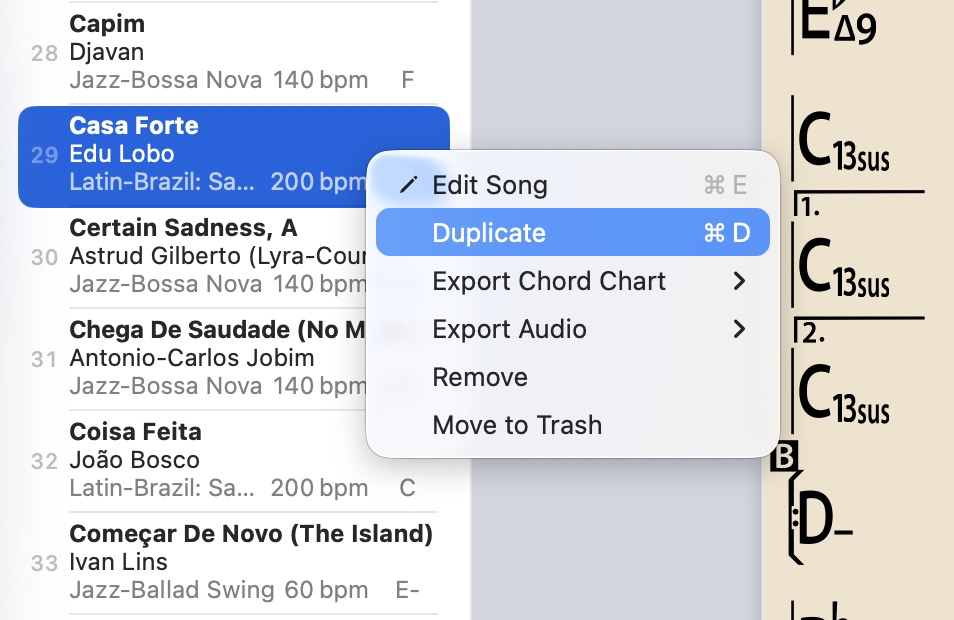
or Right-click (on a song title) > Duplicate
Mac
2026.2 and higher
Click on a song title
- File > Duplicate
- or cmd + D
- or Edit Pencil icon (top right) and choose Duplicate
or Right-click (on a song title) > Duplicate
Older Mac versions
(v2026.1 and lower use the Control key instead of the Command key)
When you duplicate a song, make sure you change something in the song like a chord or text, otherwise the duplicated song won't save because nothing has changed.
Duplicating a song in a Playlist will add that duplicate song to that playlist (and add it to the Song library)