
You don't need to register or log in to download songs.
1. Click the Forums button (globe icon), at the top left.
(Mac: if you don't see the left Sidebar, choose View > Show Sidebar.)

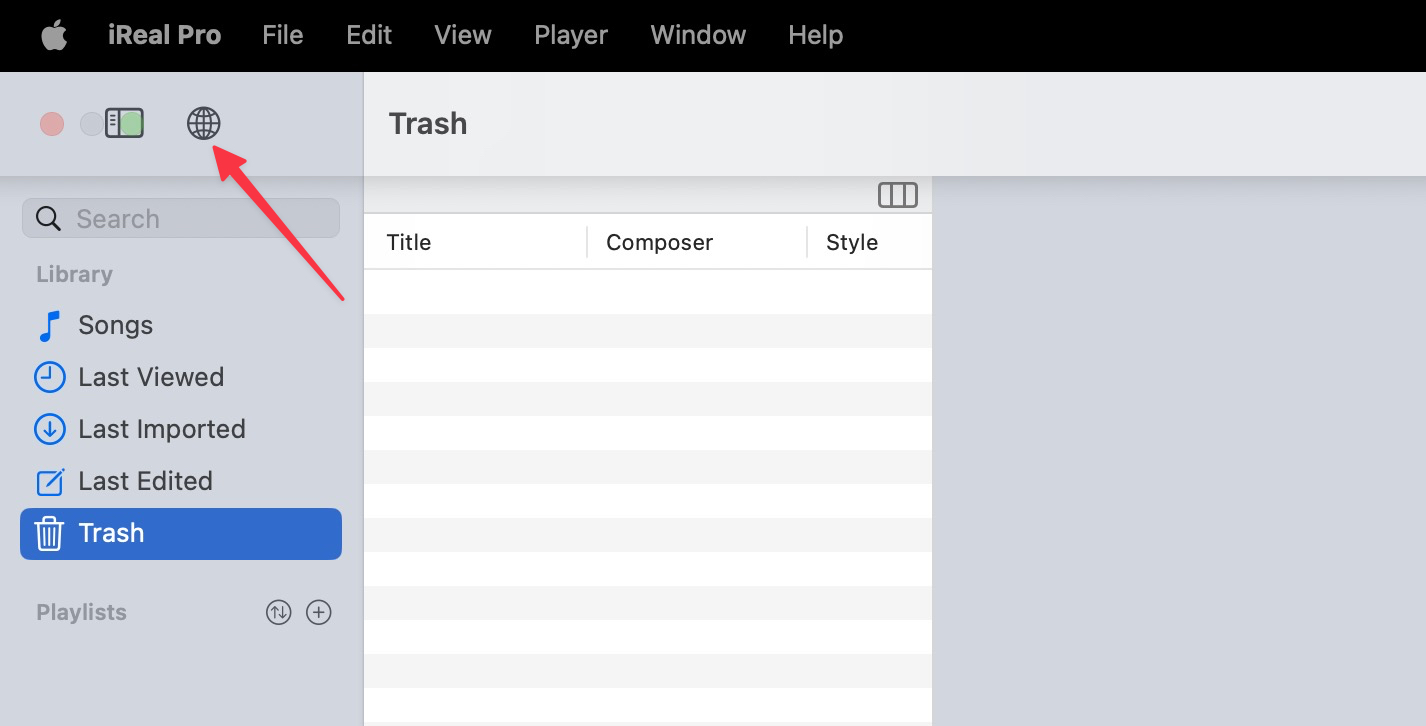
This opens the Forums in your default browser.
2. Choose a music genre (Jazz, Pop, Latin...), or click Essential Playlists to import one of our curated collections.
Example: to download the Pop 400 playlist, click the Pop, Rock, Blues & Indie genre.
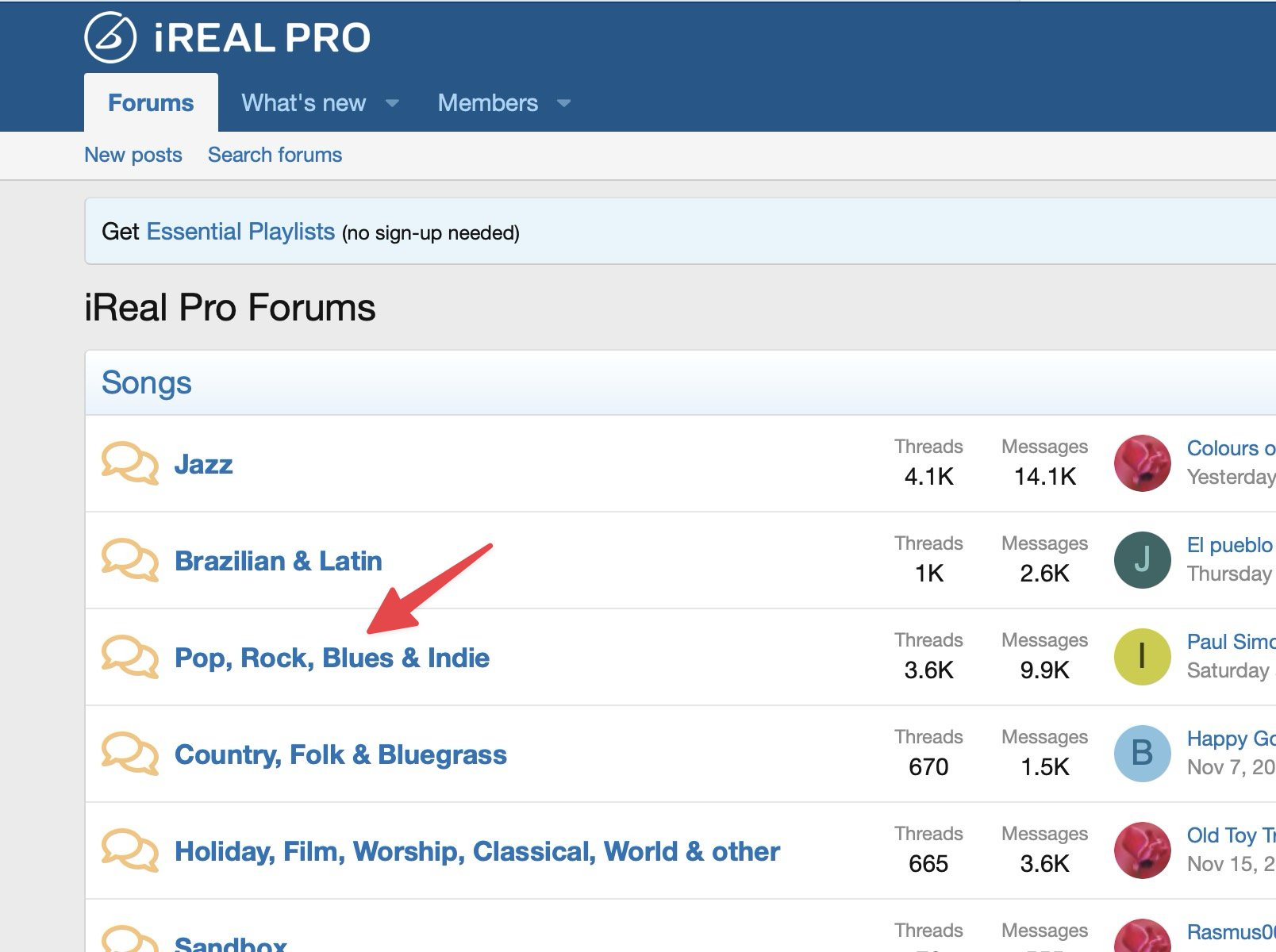
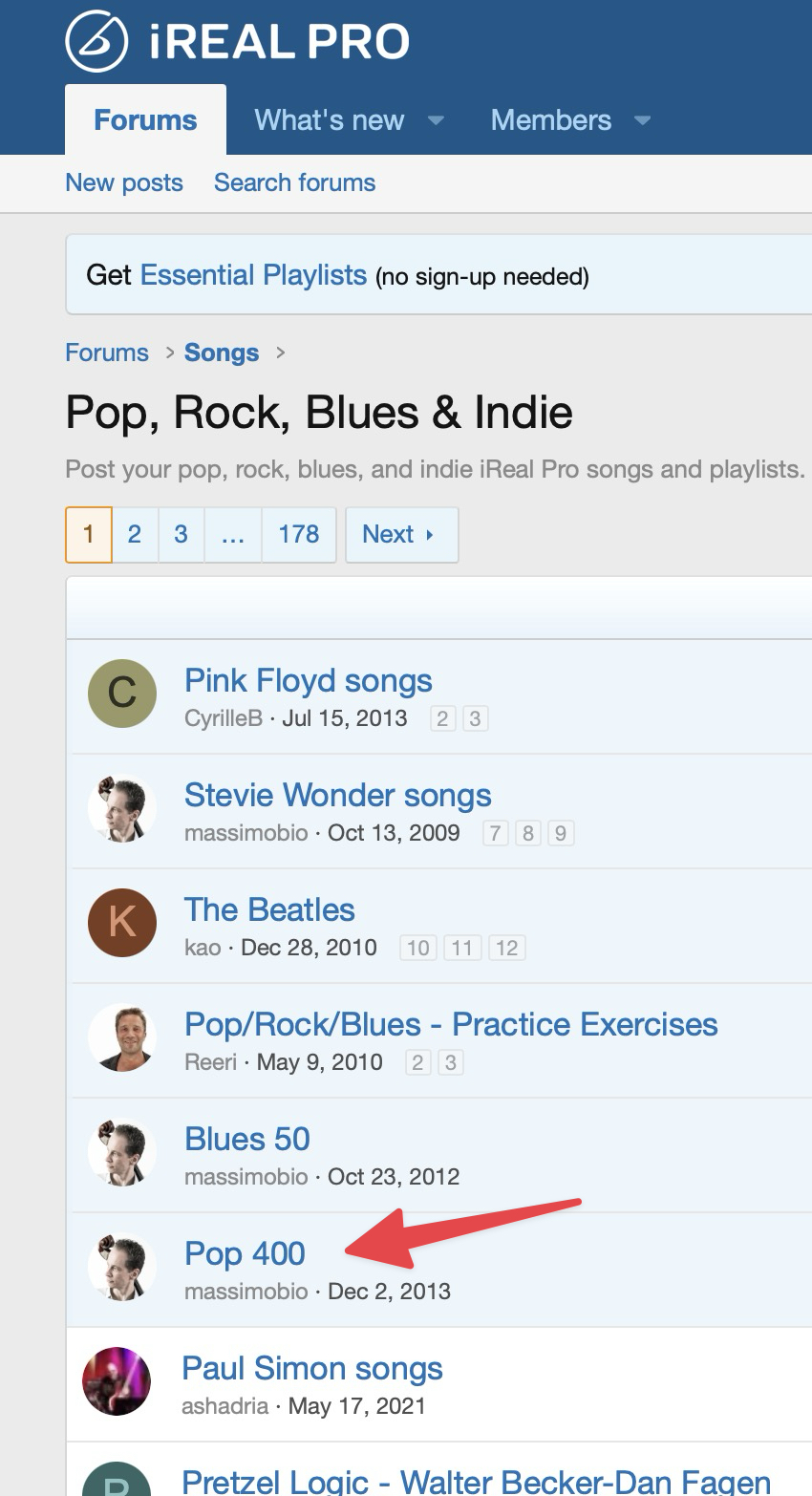
3. Click the thread with the playlist or song you want.
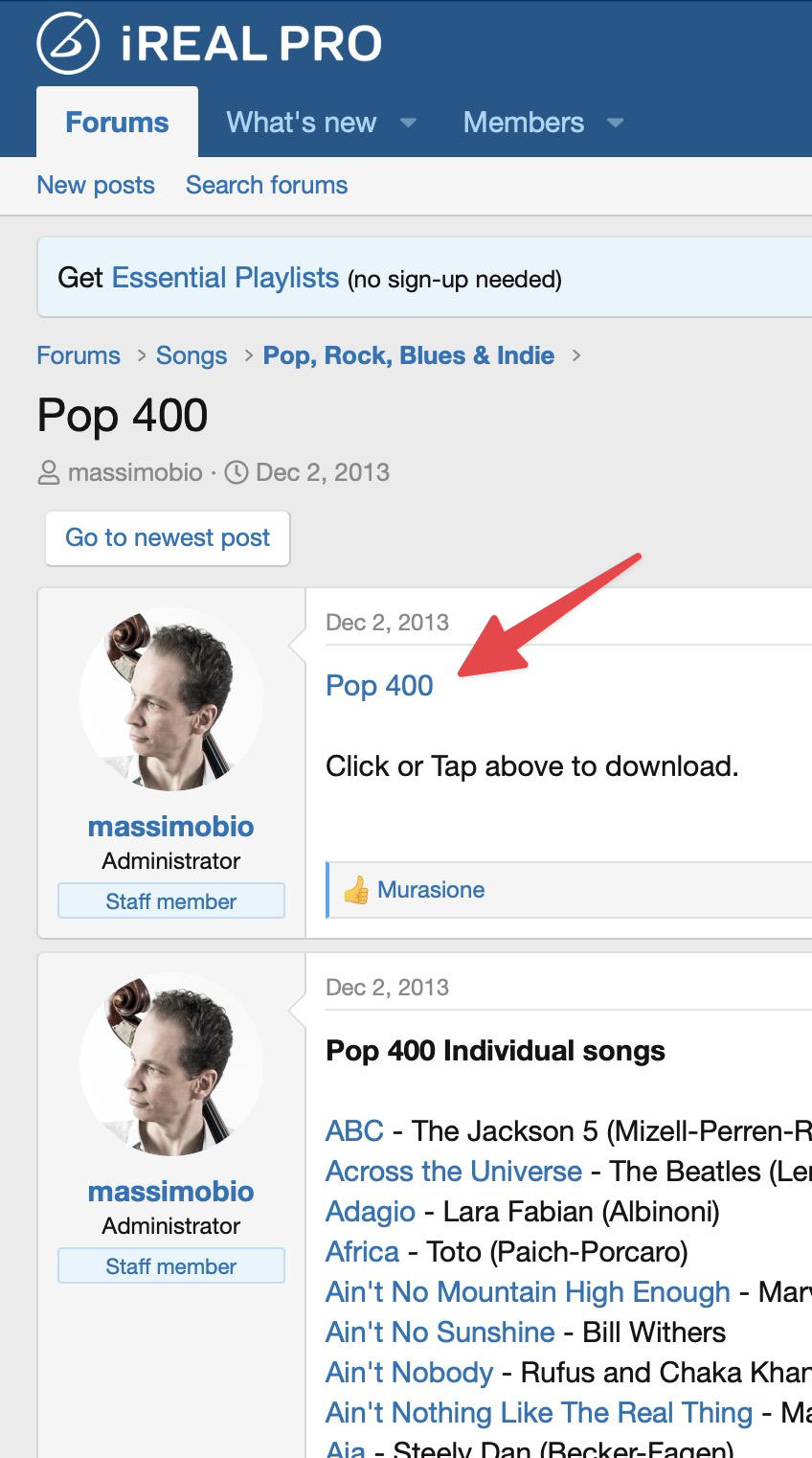
4. Click the playlist (or song) link in the post to import it.
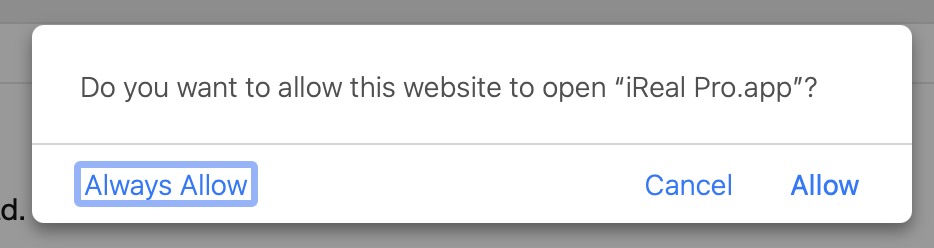
5. If you see a permission message, click Always allow (or Allow) so the songs can import.
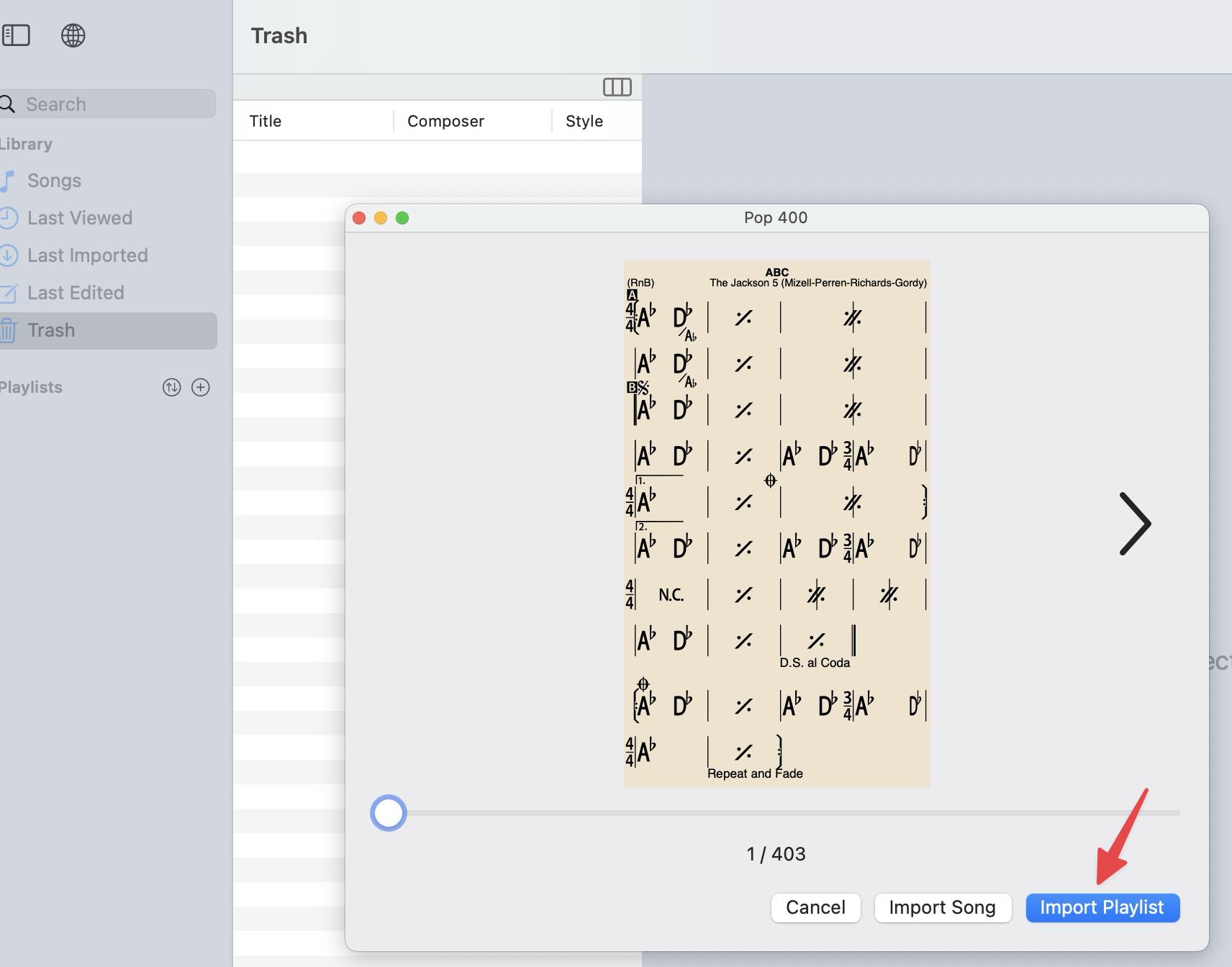
6. In the Import Preview window, click Import Playlist to import the whole playlist. To preview or import a single song first, use the arrows to page through the songs.
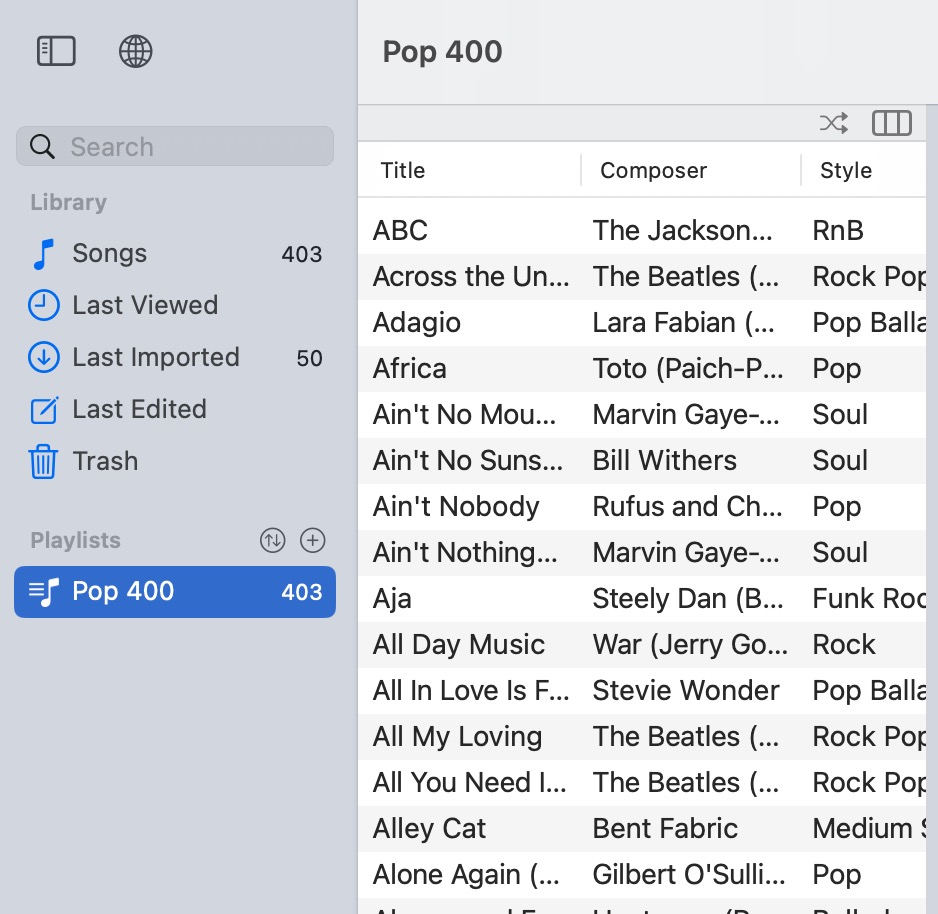
7. The playlist appears in the Sidebar (Mac shown).
To show the left sidebar, use its icon or key command:
Mac: View > Show Sidebar
Windows: View > Toggle Sidebar
Looking for a specific song? See Search for a song in the iReal Pro Forums.