
Open the Editor to edit the song (ctrl-E, cmd-E)
Tap "T" (iOS) or "ABC" (Android) and enter the text.
(iOS shown)
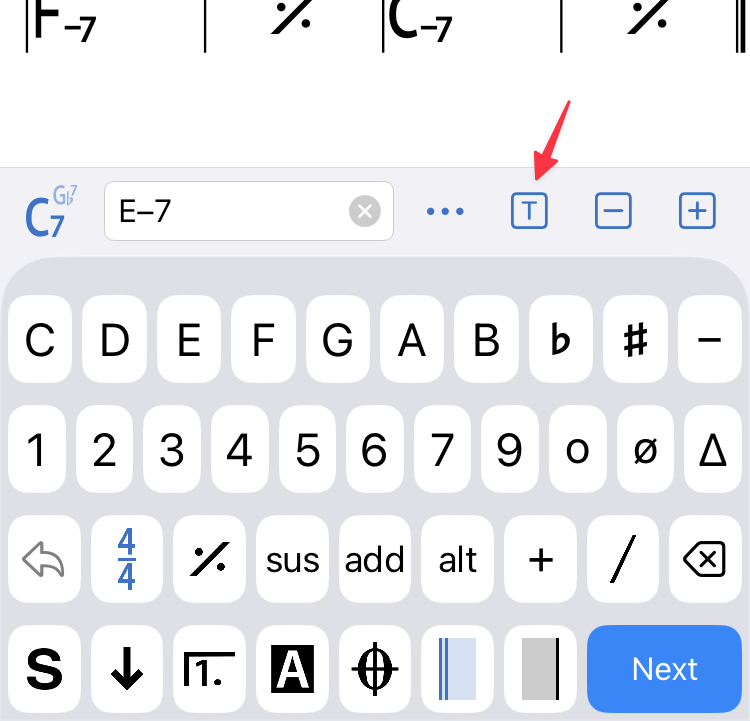
Text options
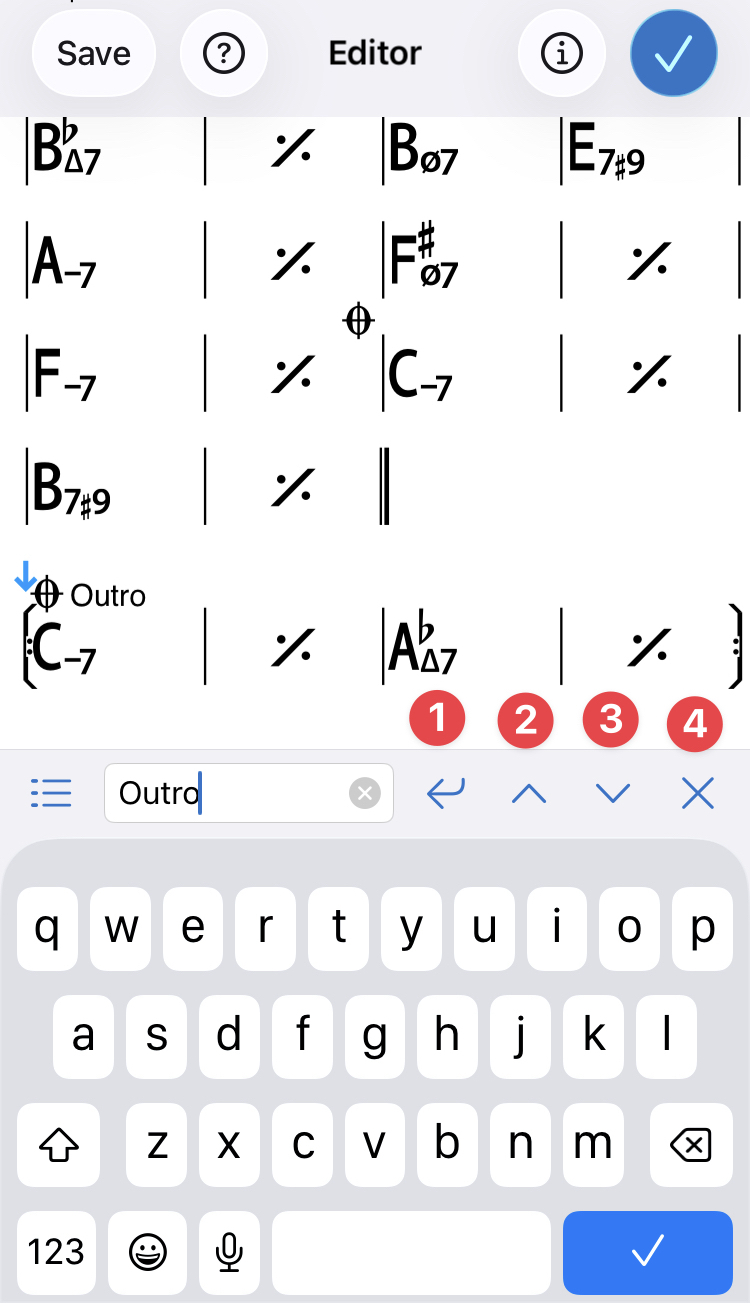
[1] "Return" button // to add a second line of text (see below)
[2] [3] to move text up or down
[4] X to exit Text mode or tap the check mark (or Done for Android) to return to the Editor
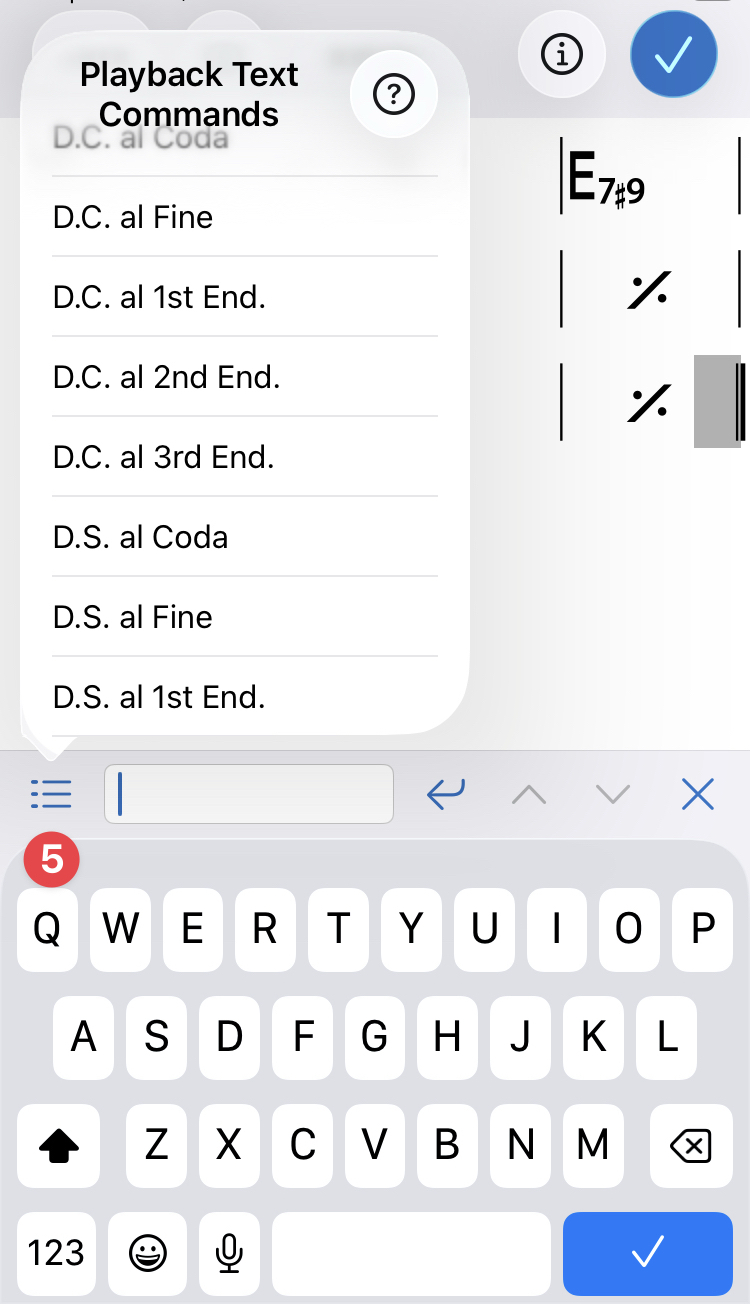
[5] tap the 3 lines beside the text box, for commonly used texts (e.g. D.C. al Coda, D.S. al Coda, repeat times) that are also understood and interpreted by the Player.
[1] "Return" to add a new line of text or type two / / characters to add a second line of text.
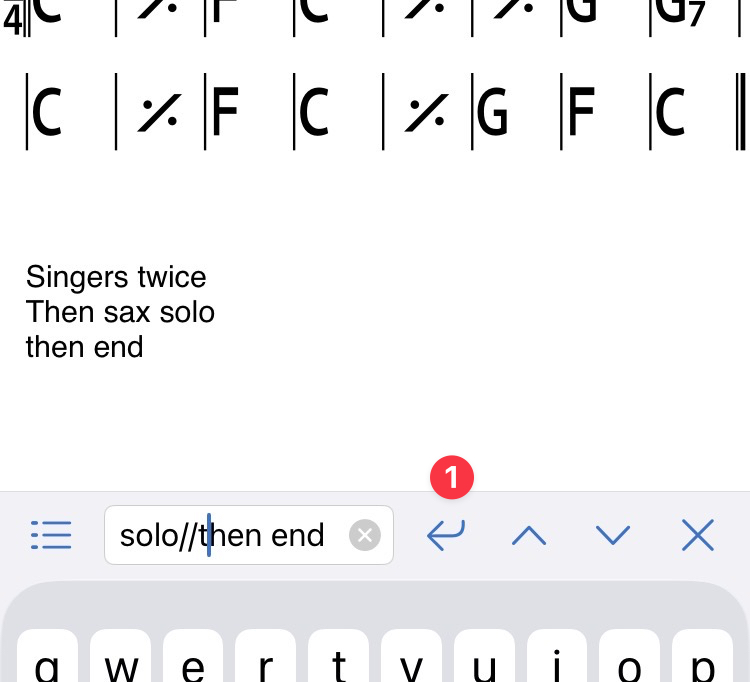
Some users have found ways to add lyrics using the text in the editor.
See their solution here.