
Commonly used Repeat Text Indications are included in the editor to assist you.
They are added as text, the dropdown menu will list commonly used text (e.g. D.C. al Coda, D.S. al Coda and repeat times like 3x, 4x...) Alternatively, you can simply type in these in the Text box with the exact spelling.
These are understood and interpreted by the Player.
Use the two arrows to move the text vertically.
iOS, Android - for entering Text in the editor, iOS tap T, Android tap ABC. Tap the 3 horizontal lines button on the left for the menu.

Mac, Windows - click the down arrow to the right of the Text box for the text options, or type in the text.
Repeat texts follow standard music notation rules. Below are the details for each supported text.
D.C.
D.C. al Fine also needs a Fine to indicate where the form ends. This results in an ABA form.

D.C. al Coda also needs a coda sign and an actual coda.

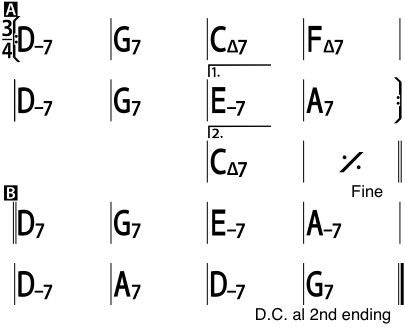
D.C. al 2nd ending also needs a Fine to indicate where to stop after going to the 2nd ending. This goes back to the top but then skips the 1st ending and goes straight to the 2nd ending.
D.S.
The previous three examples also apply to D.S. (Dal Segno) but with the inclusion of a Sign (Segno).
D.S. al Coda needs a Sign, a Coda symbol and a Coda.
D.S. al Coda needs a Sign, a Coda symbol and a Coda.
A final barline or closing double barline (right double barline) must be used at the right end of both the "fine" measure and the measure where the D.C. or D.S. text is.
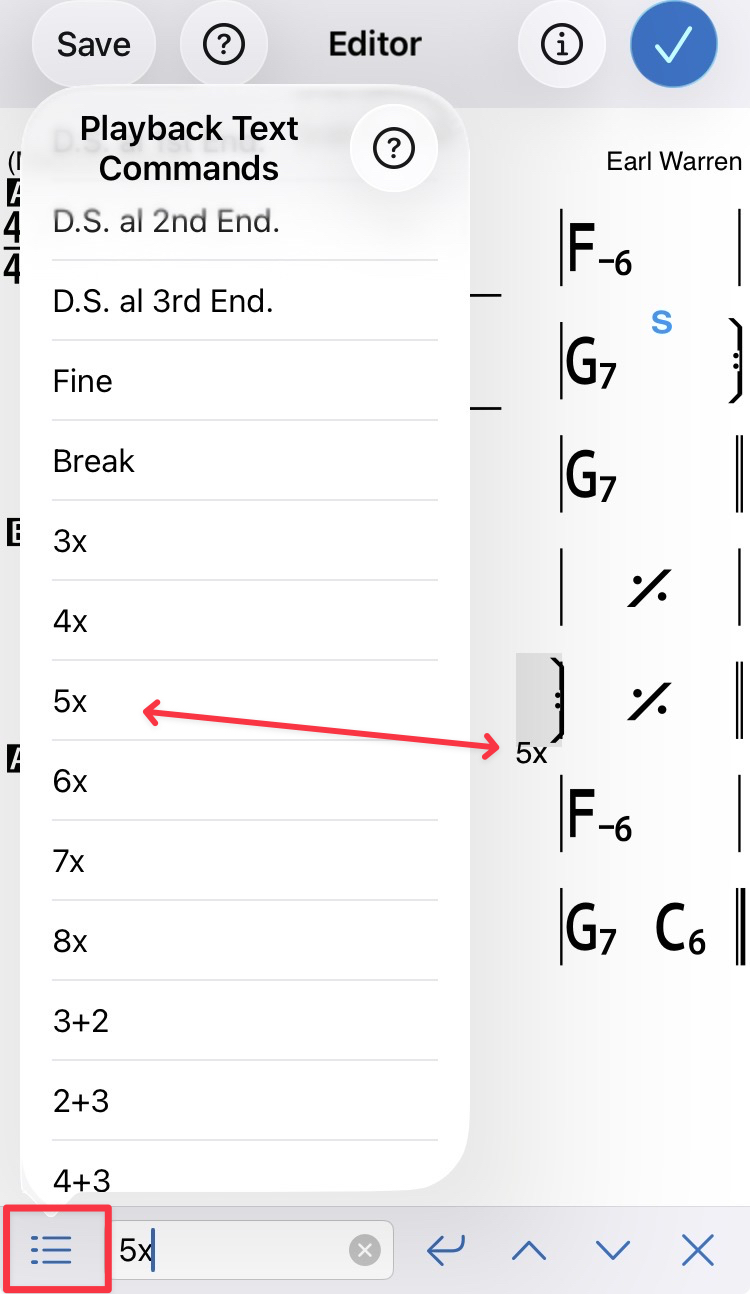
x times Repeat
Tap/click on the last beat in the repeat section and select the repeat times from the Text menu.
About the Coda
How the Coda symbol works